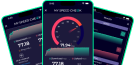
Check How Fast Your Internet on Mobile


DiGi Speed Test
Check your DiGi internet speed in seconds with our free DiGi Speed Test. Click ‘Go’ to speed test your DiGi connection and see how your internet performs. With our speed test tool, you can test every type of DiGi internet connection. Whether you have a mobile subscription or are using DiGi Fiber WiFi, you get instant and accurate resutls.
The tool measures and shows results for your download speed, upload speed, ping, and jitter in real time. Measuring your connection performance helps you understand whether your internet is performing as expected.
How to Speed Test DiGi Internet?
Follow these simple steps to test your DiGi internet speed.
-
- Connect your device to your DiGi Fiber, WiFi, or mobile data connection.
- Open our DiGi internet speed test tool.
- Click the Go button to begin the speed test.
- See the results from the test carried out in real time.
If the speed looks lower than expected, run the test again after a few minutes.
What DiGi Net Speed Results Entail?
When you test DiGi speed using our tool, it checks four important parts of your internet connection.
- Download Speed: The tool measures how quickly your device is retrieving data from the internet. Download speed is used when you watch videos, browse websites, or save files on your device.
- Upload Speed: Upload speed shows how fast your device sends data to the internet. Upload speed is involved when you are having video calls, cloud backups, online gaming, and file sharing.
- Ping: Ping is measured in milliseconds and shows how long data from your device takes to travel on the internet. It is usually measured in milliseconds (ms). Lower ping means faster response time.
- Jitter: Jitter shows how much your ping changes during the test. Low jitter means your connection stays stable. High jitter means your DiGi Net speed is unstable.
DiGi WiFi Test - 100% Real-Time Testing
You can also check DiGi WiFi internet speed using our tool. Just connect your device, either a mobile or a laptop, to a DiGi WiFi connection. Open this DiGi speed test tool and click GO. The tool will run a test in real time and show you the results.
To test an internet connection speed, our tool sends some small data packets between your device and the closest internet server. You can change and select the server of your choice. By measuring the time data packets take to travel back and forth, our tool estimates the speed in real time.
Why Speed Test DiGi with Wifispeed.io?
Wifispeed.io offers you the best internet speed test tools at the time. When you use our DiGi internet speed test tool, you enjoy the following features.
- Real-time results with high accuracy
- Automatic optimal server detection
- Download & upload speed
- Works on every device
- Run on every browser
- Shareable results
- No registration
- Free to use
DiGi Internet Services
DiGi Internet Services are mainly available in European countries like Romania, Spain, Portugal, and Italy. It offers both fixed fiber internet and mobile internet plans.
Fixed Internet Subscriptions
- FiberLink 500 gives download speeds of up to 500 Mbps. It also includes a free router, 20 GB DiGi Storage, and parental controls.
- FiberLink 1000 gives download speeds of up to 940 Mbps. It includes a free router, 50 GB DiGi Storage, and parental controls.
Mobile Internet Subscriptions
- Optim 2 includes unlimited mobile internet, 200 national, international, and EEA roaming minutes, 5G, and eSIM support.
- Optim 3 includes unlimited mobile internet, 300 national, international, and EEA roaming minutes, 5G, and eSIM support.
- Unlimited includes unlimited mobile internet, unlimited national, international, and EEA roaming minutes, 5G, and eSIM support.
How to Improve Your DiGi Internet Speed?
You can improve your DiGi internet speed with a few simple steps.
- Restart your router.
- Move closer to the WiFi router.
- Disconnect devices you are not using.
- Pause large downloads.
- Restart your device.
- Update your router software.
- Use a wired Ethernet connection when possible.
- Upgrade your internet plan if your current speed does not meet your needs.
After each change, run another DiGi speed test to see if your connection improves.
Frequently Asked Questions
Yes. RCS & RDS changed its consumer brand to DiGi. Many people still search for RDS Speed Test, but they refer to the same provider DiGi.
Yes. You can use this tool to test DiGi Fiber, WiFi, and mobile data connections.
Several factors can affect your DiGi Net speed. WiFi signal, network traffic, connected devices, router quality, and your device can all reduce internet performance.
Yes. You can test your DiGi internet speed as many times as you want without paying anything.
Get Our App